Mobile Wallet: Total Convenience, Total Attack Surface
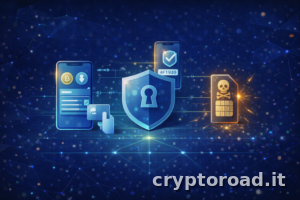
The smartphone has become the “center” of digital identity. This makes it a prime target: notifications, fake apps, permissions, cloud backups, SIM swaps. Mobile security in 2026 isn’t a single trick; it’s a set of consistent choices.
1) First Rule: Separate “Spending” and “Capital”
- On your phone: an operational wallet for small amounts.
- For your capital: a cold wallet and slow procedures.
If your phone is compromised or lost, the goal is to limit the damage.
2) PIN, Biometrics, and Screen Locks
- Use a strong PIN (not your birthday, not an obvious pattern).
- Biometrics are helpful, but shouldn’t be the only factor.
- Keep your screen lock always active with a short timeout.
3) Apps and Permissions: Reduce the Noise
Many compromises come from “legitimate” but intrusive apps. Best practices:
- Only install necessary apps.
- Revoke unnecessary permissions.
- Avoid APKs from unofficial sources.
- Be wary of unofficial “wallet support” apps.
4) Backups: Be Careful with the Cloud
Many users automatically back up photos, notes, and files to the cloud without thinking. If even a portion of your seed phrase or a password ends up in those areas, the risk increases dramatically. Your seed phrase must remain offline.
5) SIM Swap and 2FA
For critical accounts (email, exchanges): avoid SMS as a second factor. Prefer TOTP or hardware keys. And activate the protection options available with your mobile carrier.
6) Minimum Weekly Routine
- Update your operating system.
- Check for newly installed apps.
- Verify that your operational wallet doesn’t have any strange allowances.
- Don’t connect your wallet to unverified dApps.
Conclusion
In 2026, using a mobile wallet is normal, but it should remain a “daily use” wallet. Effective mobile security comes from a choice: convenience should never hold all of your capital.
Related reading: Bitcoin Market Cycles: The Complete Guide to Every Phase · On-chain analysis: a guide to understanding the crypto market.